
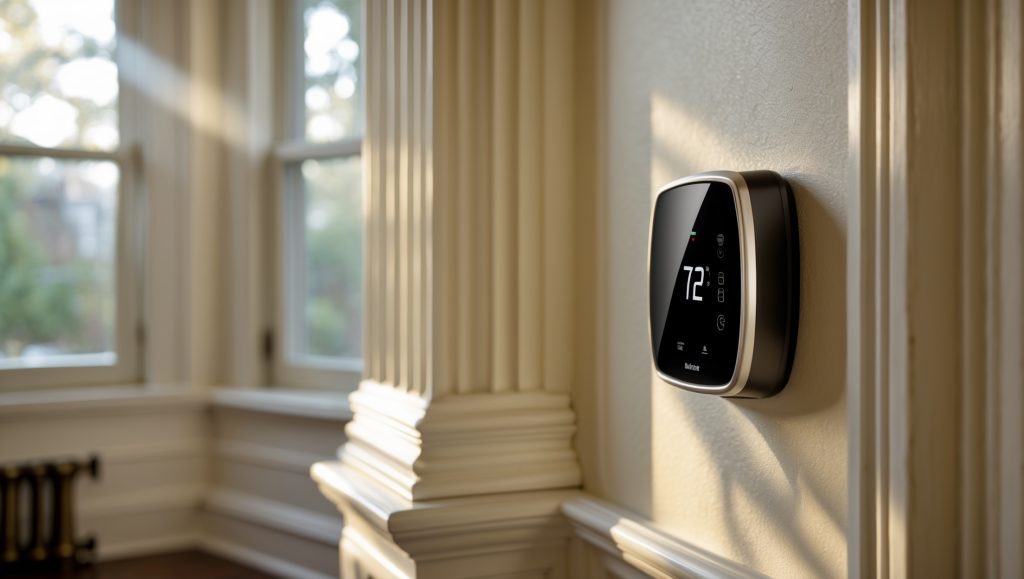
Introduction: Why Upgrade Your HVAC Thermostat in Boston?
Boston’s climate is famously unpredictable—a warm spring day can give way to a brisk cold snap overnight, and winters are legendary for their chill. In this environment, having precise control over your home’s heating and cooling isn’t a luxury—it’s a necessity. Yet, many Boston homeowners and businesses still rely on outdated, manual thermostats that can’t keep up with modern comfort needs or energy-saving expectations. Upgrading to a smart or programmable thermostat is one of the most cost-effective HVAC improvements you can make. Not only does it offer greater comfort and convenience, but it can also help you rein in those steep New England energy bills. This step-by-step guide is tailored for Boston properties, addressing unique local considerations like oil heat compatibility, zoning quirks in historic homes, and maximizing the benefits of rebate programs. Whether you’re a DIY enthusiast or planning to work with a contractor, you’ll find practical advice, troubleshooting tips, and expert insights to ensure your thermostat upgrade goes smoothly and delivers real results.
Understanding Thermostat Types and Compatibility
Manual, Programmable, and Smart Thermostats: What’s the Difference?
Before diving into installation, it’s essential to pick the right thermostat for your setup. Here’s what you need to know:
- Manual Thermostats: Basic models that require hand adjustments. Offer little in the way of scheduling or energy savings.
- Programmable Thermostats: Allow you to set schedules for heating and cooling, offering significant energy savings for Boston’s fluctuating seasons.
- Smart Thermostats: Connect to Wi-Fi, learn your habits, and can be controlled via apps. Many models qualify for Mass Save rebates and integrate with smart home systems.
Boston’s Unique HVAC Considerations
- Heating Fuel Types: Many Boston homes use oil or steam heat; not all thermostats are compatible with these systems. Always check manufacturer compatibility charts.
- Multi-Zone Systems: Brownstones and larger properties may have multiple heating/cooling zones. Some smart thermostats support multi-zone control or require additional sensors.
- Wiring: Older homes may lack a common “C” wire needed for smart thermostats. Solutions include power extenders or professional installation.
Step 1: Assess Your Existing Thermostat and HVAC System
Turn Off Power and Inspect Wiring
Always begin by switching off HVAC power at your breaker panel to avoid electrical hazards. Remove your current thermostat’s cover and examine the wiring:
- Take a clear photo of the wire connections—this is invaluable during installation.
- Label each wire with provided stickers or masking tape (e.g., R, W, Y, G, C).
- Note any missing wires, especially the “C” (common) wire, which supplies power to many smart thermostats.
Check Compatibility
Match your existing wires and HVAC system type (forced air, boiler, heat pump, etc.) with the compatibility guidelines for your chosen thermostat. Most manufacturers offer online compatibility checkers.
Step 2: Choose the Best Thermostat for Your Boston Home
Feature Priorities for Local Climate
- Adaptive Scheduling: Look for models with auto-schedule or learning features, perfect for unpredictable Boston weather.
- Remote App Control: Ideal for Boston residents who travel or have second homes on the Cape.
- Energy Reports: Some smart thermostats generate monthly reports to help you monitor and reduce usage.
- Integration: If you use Alexa, Google Home, or Apple HomeKit, check for compatibility.
- Local Rebates: Mass Save offers rebates up to $100+ for qualifying smart thermostats; check their website for current deals.
Recommended Models for Boston
- Ecobee Smart Thermostat Premium: Works well with oil, gas, and electric systems; supports remote sensors for drafty homes.
- Nest Learning Thermostat (3rd Gen): Popular in historic homes for its retro-modern look; easy to use and energy efficient.
- Honeywell Home T9: Good for multi-zone homes; flexible scheduling and robust app features.
Step 3: Gather Tools and Materials
Most thermostat upgrades require only basic tools:
- Small flathead and Phillips screwdrivers
- Drill with small bits (for new mounting holes)
- Level (to ensure straight installation)
- Wire labels or masking tape
- Smartphone or camera (for wire documentation)
- Wall anchors (for plaster or masonry walls common in Boston homes)
- Voltage tester (recommended, especially in older homes)
Step 4: Remove the Old Thermostat
Careful Disassembly
After ensuring power is off, gently remove the old thermostat’s faceplate. Unscrew the base from the wall, keeping wires accessible. If wires are short, use a pencil or pen to prevent them from slipping into the wall cavity.
Wall Preparation
- Patch any large holes with spackle and allow to dry.
- Remove dust or debris for a clean mounting surface.
- Use the included trim plate if the new thermostat is smaller than the old one’s footprint.
Step 5: Install the New Thermostat
Mounting the Base
Hold the new thermostat base against the wall and use a level to ensure it’s straight. Mark screw holes, drill pilot holes if needed, and use anchors for old plaster or brick. Secure the base tightly but avoid cracking delicate walls.
Connecting the Wires
- Match each labeled wire to the correct terminal (R, W, Y, G, C, etc.).
- Insert the wires firmly—loose connections can cause malfunctions.
- If you lack a C wire, check the thermostat’s instructions for alternatives (power extenders or adapters may be included).
- Double-check all connections against the photo taken earlier.
Attaching the Display
Gently snap the thermostat’s display onto the base. Restore power at the breaker. The thermostat should power on and begin setup; if not, recheck power and wire connections.
Step 6: Configure and Program Your Thermostat
Initial Setup
Follow on-screen prompts to select your language, connect to Wi-Fi, and enter your heating/cooling system details. Many models will run an initial system test—let it complete before proceeding.
Programming for Boston’s Climate
- Heating Schedules: In winter, set the heat to lower when you’re asleep or away (try 62–65°F overnight; 68–70°F when home).
- Cooling Schedules: For summer, raise the AC setpoint when the house is empty (78–80°F), and cool to comfort (72–74°F) when occupied.
- Weekend Variations: Boston’s social calendar can be busy; customize schedules for weekends versus weekdays.
- Vacation Mode: Use this feature to minimize energy use while you’re away—critical for winter trips to avoid frozen pipes.
Enabling Smart Features
- Activate geofencing, if supported, to automatically adjust settings based on your phone’s location.
- Integrate with your smart home system (Alexa, Google Assistant, Apple HomeKit) for voice control and automation.
- Sign up for monthly or seasonal energy reports, if available.
Step 7: Troubleshooting Common Installation Issues
Thermostat Won’t Power On
- Double-check that the circuit breaker is on.
- Ensure the C wire is connected if required.
- Some systems require the HVAC door switch to be closed; verify it’s properly latched.
System Doesn’t Heat or Cool Properly
- Confirm wires are in the correct terminals—miswiring is the most common issue.
- Check that system type (forced air, heat pump, boiler) is correctly set in the thermostat menu.
- Older homes may have unique wiring; consult the manual or seek professional help if in doubt.
Wi-Fi Connection Problems
- Make sure your Wi-Fi password is correct and the signal is strong at the thermostat’s location.
- Reboot your router and thermostat if you experience connectivity drops.
Step 8: Optimizing Comfort and Efficiency Post-Installation
Fine-Tuning Your Settings
- Monitor your comfort after a week and adjust schedules as needed.
- Take advantage of learning features—let the thermostat adapt to your patterns.
- Use remote sensors in drafty or unevenly heated/cooled areas to balance comfort.
- Review energy reports monthly to spot trends and optimize further.
Maintenance Tips
- Dust the thermostat regularly to prevent sensor errors.
- Update firmware via the app to benefit from new features and security patches.
- Replace batteries annually if your model uses them (some smart thermostats have battery backup).
Local Resources for Boston Homeowners
Rebate and Incentive Programs
- Mass Save: Offers rebates and 0% financing for qualifying thermostats. Visit masssave.com for details.
- City of Boston: Check local energy efficiency initiatives and weatherization programs.
When to Call a Professional
- If you lack a C wire and aren’t comfortable adding one.
- Complex multi-zone systems or integration with boilers/steam heat.
- Historic homes with delicate wiring or preservation concerns.
Boston has many licensed HVAC contractors experienced with smart thermostat installations and familiar with local building codes. Don’t hesitate to get a quote if you’re unsure.
Conclusion: Enjoy Greater Comfort and Savings All Year in Boston
Upgrading your HVAC thermostat is a smart move for any Boston homeowner or business aiming for better comfort, lower energy bills, and improved control over indoor environments. While the installation process is straightforward for most, Boston’s unique mix of historic homes, varied heating systems, and challenging climate means it pays to plan carefully and choose equipment that truly fits your needs. By following the detailed steps outlined above—assessing compatibility, selecting the right features, preparing your space, and programming your new thermostat for local weather—you’ll set yourself up for success. Don’t forget to take advantage of local rebates and call in a professional if you encounter complex wiring or multi-zone challenges. Once installed, your new thermostat will quickly begin to pay off in both comfort and savings, adapting to Boston’s seasons and your lifestyle. Whether you’re warming up a Beacon Hill brownstone or keeping a Back Bay office perfectly temperate, upgrading your thermostat is one of the smartest, most accessible HVAC improvements you can make. Stay cozy, save money, and enjoy smarter control—Boston style.
If I replace my current manual thermostat myself, what are the key troubleshooting steps I should take if the new unit doesn’t control my HVAC system correctly right after setup?
If your new thermostat isn’t controlling your HVAC system after installation, first double-check that all wires are connected to the correct terminals based on the instructions. Make sure the power to the HVAC system is turned back on and that the thermostat itself is properly mounted. Also, confirm that the settings on the thermostat match your system type (heating, cooling, or both). If the system still doesn’t respond, check for blown fuses or tripped breakers and review the manufacturer’s troubleshooting guide for specific error codes or signals.
With Boston’s weather flipping so quickly, how much of a difference can a programmable thermostat actually make in my monthly heating and cooling bills? Are the savings really noticeable compared to leaving things manual?
A programmable thermostat can make a noticeable difference in your monthly heating and cooling bills, especially with Boston’s unpredictable weather. By automatically adjusting temperatures when you’re asleep or away, many homeowners see savings of about 10% per year. Manual thermostats often lead to forgotten adjustments, so switching to programmable is usually worth it for both comfort and lower bills.
The article mentions Mass Save rebates for certain smart thermostats. Could you clarify which features or brands usually qualify for these rebates, and whether the process for applying is straightforward for homeowners doing a DIY install?
Mass Save rebates typically apply to ENERGY STAR certified smart thermostats from major brands like ecobee, Google Nest, and Honeywell. Features needed usually include Wi-Fi connectivity and remote control capability. Homeowners can apply for the rebate even if they install the thermostat themselves—just keep your purchase receipt and follow the online application steps. You may need to provide photos of your installation and model details, but the process is designed to be user-friendly.
What’s the average installation time for a DIY thermostat upgrade in a Boston area home, especially if our house is historic and may have weird zoning? I only have a few hours on weekends to tackle things like this.
For most Boston homes, a DIY thermostat upgrade usually takes about 1 to 2 hours if your wiring is straightforward. In a historic home with unusual zoning or older wiring, you might need 2 to 4 hours to sort things out, especially if you have to trace wires or update connections. Be sure to turn off the power first, take photos of your current setup, and keep the instructions handy.
If I’m planning to do the installation myself on a weekend, how long does the process typically take for someone with basic DIY skills? I just want to make sure I’m not biting off more than I can handle in one afternoon.
For someone with basic DIY skills, installing a new HVAC thermostat usually takes 1 to 2 hours. This includes shutting off power, removing the old thermostat, wiring the new one, and testing the system. If your wiring is straightforward and you have the necessary tools, you should be able to finish comfortably in one afternoon.
The guide mentioned troubleshooting tips for installation. If an updated thermostat doesn’t seem to control the heating or cooling as expected right after setup, what are the most common causes in Boston-area homes with oil heat?
If your new thermostat isn’t controlling the heat properly in a Boston-area home with oil heat, common causes include incorrect wiring (especially the R and W terminals), not setting the thermostat to match your heating system type (oil furnace or boiler), or not enabling the correct fan or heat modes. Double-check the wiring connections, make sure the system settings in the thermostat match your equipment, and confirm that the power switch to the furnace or boiler is on.
For those planning to hire a contractor instead of DIY, what questions should Boston homeowners ask to ensure the thermostat installation will maximize energy savings and comfort, especially given the local climate challenges?
When speaking with a contractor, ask which thermostat models are best for Boston’s climate and if they offer smart features like adaptive scheduling or remote access. Check if they’ll program energy-saving settings tailored to your home’s insulation and heating/cooling patterns. Confirm their experience with local energy codes and rebates, and ask if they provide a walkthrough of the new system so you get the most comfort and savings possible.
When it comes to taking advantage of Mass Save rebates for smart thermostats, what are the steps involved? Is it better to work with a contractor for the paperwork, or can a small business owner handle it solo?
To get Mass Save rebates for smart thermostats, you’ll typically need to purchase a qualifying device, have it installed, and submit an application with proof of purchase and installation. Many small business owners handle the paperwork themselves, but working with a contractor can make the process easier, especially if they’re familiar with Mass Save requirements. Contractors often help with documentation and ensure the thermostat meets program criteria, saving you time and reducing errors.
The guide talks about compatibility with oil heat systems, which my place uses. How do I find out if a specific smart thermostat will actually work with oil or steam heat before I buy one?
To check if a smart thermostat is compatible with your oil or steam heat system, first look at the product’s compatibility list—manufacturers usually mention supported heating types on the box or their website. You can also check if the thermostat supports two-wire (often used for oil and steam systems). If you’re unsure, take a photo of your current thermostat wiring and ask the manufacturer’s support team or your HVAC technician for confirmation.
I run a small business in a historic Boston building, and we use oil heat with a pretty old HVAC system. Are there specific smart thermostats that work reliably with oil or steam heat setups, or do I need to look for features beyond basic compatibility?
For oil or steam heat systems, especially in older Boston buildings, look for smart thermostats that clearly support two-wire or single-stage heating systems. Models like the Honeywell Home T9 or ecobee SmartThermostat are often compatible, but always double-check product specs for oil or boiler heat support. You may also need a C-wire adapter if your wiring is older. Features like remote sensors and smart scheduling can help further, but compatibility is your top priority.
My house has an older oil heat system. Could you clarify how to check if a smart thermostat will be compatible before I buy one? Are there brands that are better for Boston homes with oil heat?
To check if a smart thermostat will work with your older oil heat system, look at your current thermostat’s wiring—most smart thermostats need a C-wire for power. Check your furnace and wiring or consult your system’s manual. When choosing a brand, ecobee and Honeywell models are often praised for compatibility with oil heat and Boston climates, but always double-check their compatibility lists or ask your HVAC technician to be sure.
For homeowners on a budget, do you have suggestions for the most cost-effective programmable thermostats that still qualify for Mass Save rebates? I’m interested in balancing upfront costs with long-term savings.
If you’re looking for a budget-friendly programmable thermostat that qualifies for Mass Save rebates, consider models like the Honeywell Home T5 or Emerson Sensi. Both are affordable, meet rebate requirements, and offer scheduling features to help you save on energy bills. Make sure to double-check the current Mass Save list, as rebate-eligible models can change over time.
If I run into problems with the wiring during the installation, especially in an older house with oil heat, are there common troubleshooting steps a beginner like me should try before calling in a professional?
If you encounter wiring problems, first turn off the power to your HVAC system for safety. Double-check that your new thermostat’s wiring labels match those from your old thermostat; take photos before disconnecting anything. Look for any loose or corroded wires and trim and re-strip them if needed. Make sure each wire is securely attached to the correct terminal. If you still have issues, especially with older oil heat systems, it may be time to consult a professional.
When it comes to DIY installation, what are the most common troubleshooting steps if the new smart thermostat doesn’t turn the heat on right away, especially with older oil-fired systems?
If your new smart thermostat isn’t turning the heat on, first double-check that the wiring matches your old thermostat and is securely connected, especially the wires controlling the furnace (often labeled W and R). Make sure the furnace’s power switch and circuit breaker are on. For older oil-fired systems, confirm that the thermostat is set to ‘heat’ mode and the temperature is set above room temperature. If your system still won’t start, resetting the thermostat or checking for a blown fuse in the furnace can help.
For older Boston homes with steam heat, how can I be sure a smart thermostat will work with my current system, or are there specific models I should be looking for?
For older Boston homes with steam heat, it’s important to check if your system uses two wires or has a common (C) wire, as many smart thermostats require a C wire for power. Look for smart thermostats that specifically list compatibility with steam or boiler heating systems. Models like the Nest E or ecobee often work, but double-check your wiring or consult an HVAC professional before purchasing.
For Boston homes with older oil heating systems, how can I be sure a smart thermostat will be fully compatible before making a purchase? Is there a list of features or specs I should look for to avoid installation headaches?
To ensure compatibility with older oil heating systems in Boston, check that the smart thermostat specifically supports oil-fired furnaces and works with your system’s wiring—often just two wires. Look for models labeled as compatible with ‘low-voltage’ or ‘2-wire’ systems. It’s also wise to verify that the thermostat doesn’t require a C-wire, or choose one that offers a power adapter. Reading the manufacturer’s compatibility list and consulting your heating system’s manual can help avoid surprises.
For small businesses based in older Boston buildings, which often have zoning issues and use oil heat, what specific thermostat features should we prioritize to avoid compatibility problems during an upgrade?
For small businesses in older Boston buildings with zoning and oil heat, prioritize thermostats that support multi-zone control and are compatible with oil-fired systems. Make sure the thermostat can handle line voltage if your system requires it, and check for compatibility with existing wiring. Models that offer customizable scheduling and remote sensors can help manage different zones efficiently. Always consult your HVAC technician to confirm that your chosen thermostat fits your building’s specific system.
I noticed you mentioned Mass Save rebate programs—do these include small commercial spaces as well as residential, and are there extra steps a business owner should take to maximize the available savings when upgrading thermostats?
Mass Save rebate programs typically offer incentives for both residential and small commercial spaces, although the eligibility criteria and rebate amounts may differ. As a business owner, you should check the specific commercial rebate guidelines, gather documentation about your current HVAC system, and choose ENERGY STAR certified thermostats to maximize savings. It’s also a good idea to work with a participating contractor, as they can help ensure your upgrade qualifies for all available incentives.
I live in a historic home with multiple heating zones and quirky wiring setups. Can you recommend any specific thermostat brands or models that are known to handle complex zoning situations in older Boston houses?
For historic homes with multiple zones and unique wiring, you might want to look at thermostats like the Honeywell T6 Pro Series, Ecobee SmartThermostat with remote sensors, or the Emerson Sensi Touch. These models are known for their compatibility with a range of older and complex HVAC setups, and many can accommodate multi-zone systems when paired with zoning panels. It’s always a good idea to consult a local HVAC professional to confirm compatibility with your specific wiring and zoning needs.
If I want to upgrade my thermostat myself, what are some common mistakes people make during installation, especially when dealing with older Boston homes that might have unconventional wiring?
When upgrading thermostats in older Boston homes, a common mistake is not labeling the existing wires before disconnecting them, which can make reconnection confusing. Some older systems may lack a common (C) wire needed for modern thermostats. Also, people sometimes mismatch wire connections, assuming colors always match functions. It’s important to turn off power at the breaker before starting and double-check compatibility between your new thermostat and your HVAC system. If you’re ever unsure, consulting a professional can prevent costly errors.
You mentioned Mass Save rebates for smart thermostats—do you know if small commercial properties qualify, or are those rebates just for residential upgrades?
Mass Save rebates for smart thermostats are primarily targeted at residential customers, but certain small commercial properties may also qualify depending on their energy provider and specific program details. It’s a good idea to contact Mass Save directly or check with your utility company to confirm eligibility for your property type before making a purchase.
You mentioned troubleshooting tips in the article—could you clarify what common problems someone in Boston might face during a thermostat upgrade, especially with legacy HVAC equipment?
Certainly! In Boston homes with older HVAC systems, common issues during a thermostat upgrade often include mismatched wiring (older wires may lack a C-wire or use different color codes), compatibility problems with newer smart thermostats, and difficulties with mounting the new device on aging wall plates. You might also face power issues if the system can’t supply enough voltage. Double-check wiring diagrams and consider a professional if you’re unsure.
Are there any budget-friendly smart thermostat options that still qualify for Mass Save rebates, or do you mostly have to go with premium brands to take advantage of those programs?
You don’t have to stick to premium brands to get Mass Save rebates. Several budget-friendly smart thermostats, like certain Emerson Sensi and Google Nest models, are on the Mass Save qualified product list. Just make sure the model you choose is specifically listed as eligible, as Mass Save periodically updates their approved products.
I saw the mention of Mass Save rebates for smart thermostats. Are there certain brands or models that qualify more often, and how would someone in Boston go about claiming these rebates during the upgrade process?
Mass Save typically requires smart thermostats to be ENERGY STAR certified to qualify for rebates. Brands like Nest, ecobee, and Honeywell often have eligible models. To claim the rebate in Boston, purchase a qualifying thermostat, then submit your receipt and installation details through the Mass Save website or mail-in form. Always check Mass Save’s current list of approved models before buying to ensure eligibility.
You referenced Mass Save rebates for certain smart thermostats. Could you give more details about how to apply for these rebates and if there are specific models that qualify for Boston-area homes?
To apply for Mass Save rebates on smart thermostats, you’ll first want to check that your utility provider participates in the Mass Save program. After purchasing a qualifying smart thermostat model (like some from ecobee, Google Nest, or Honeywell), save your receipt and complete the online rebate application on the Mass Save website. They provide a current list of eligible thermostat models specifically for Massachusetts, including Boston-area homes. Make sure your installation and purchase dates meet their requirements to ensure your application is accepted.
My house was built in the early 1900s and has a mix of old zoning setups. Are there any complications I should expect if I try to upgrade to a programmable thermostat on my own?
Upgrading a thermostat in an older home with mixed or legacy zoning can be tricky. You might encounter wiring that doesn’t match modern thermostats, or incompatible voltage if your system uses line-voltage controls instead of low-voltage. Some zoning systems need specialized thermostats. It’s a good idea to turn off power before starting, label wires carefully, and consult your HVAC system’s manual. If you’re unsure about the wiring or compatibility, consider consulting a professional to avoid damaging your system.
Let’s say I want to do the thermostat upgrade myself and I’m new to this kind of project. What’s the best way to troubleshoot if the new thermostat doesn’t seem to control the heat or AC properly after installation?
If the new thermostat isn’t controlling your heat or AC after installation, first double-check that all wires are connected to the right terminals, and that they’re firmly secured. Make sure the power to your HVAC system is switched on. Then, confirm that you’ve set the thermostat to the correct mode (heat or cool) and temperature. If it’s still not working, check the system’s circuit breaker and the batteries in the thermostat, if it uses them. If problems persist, consulting the thermostat manual or reaching out to the manufacturer’s support can be helpful.
For Boston homeowners on a tight budget, which programmable thermostat models offer the best balance between energy savings and upfront cost, especially considering our unpredictable weather swings?
For Boston’s variable weather and a tight budget, consider programmable thermostats like the Honeywell Home RTH2300B or Emerson Sensi. Both are affordable, easy to install, and let you set different schedules for weekdays and weekends, helping you save energy without a big upfront investment. These models handle temperature swings well, making them a solid choice for Boston homes.
If I install a new thermostat myself and it doesn’t seem to control the heating zones properly, what’s the first thing I should check? Could this be due to old wiring, or is it more likely a compatibility issue?
If your new thermostat isn’t controlling your heating zones correctly, first double-check that each wire is connected to the correct terminal on both the thermostat and the zone control panel. Compatibility issues are common, especially in homes with multi-zone systems, so review the thermostat’s specs to ensure it supports your setup. Old or mislabeled wiring can also cause problems, so labeling wires during removal and confirming connections can help troubleshoot.
If I try upgrading the thermostat myself and run into trouble with older wiring or a non-standard system, are there any troubleshooting tips or must-know steps in the guide for Boston properties with unusual HVAC setups?
If you encounter older wiring or a non-standard HVAC setup, it’s important to first turn off power to the system before working. Take clear photos of the existing wiring for reference. Boston homes often have legacy systems, so label each wire as you disconnect it. If wiring colors don’t match the new thermostat’s instructions, check for a wiring diagram on your old unit or in the guide. When in doubt, it’s safest to consult a licensed HVAC technician familiar with Boston-area systems.
If I’m doing the thermostat installation myself, what are the most common problems people run into when dealing with historic homes or zoned heating, and are there tips to avoid those headaches?
When working with historic homes, you may find outdated wiring or lack of a common (C) wire required by many smart thermostats. For zoned heating, compatibility can be tricky—some thermostats don’t support multiple zones or need special wiring. Double-check your wiring and zone controls before purchasing. If a C wire is missing, consider a thermostat adapter or consult an electrician. Always label wires carefully during removal and take photos to help during reinstallation.
The article talks about troubleshooting tips for installations—what are the most common issues business owners in older Boston properties face when upgrading thermostats, and how hard are they to resolve on your own?
Business owners in older Boston properties often face challenges like outdated wiring, lack of a C-wire for smart thermostats, and incompatibility between old HVAC systems and modern thermostats. Resolving wiring issues can be tricky if you’re not familiar with electrical work, and installing a C-wire sometimes means running new wires through walls. While minor compatibility issues may be handled with an adaptor or by double-checking model requirements, more complex electrical updates are best left to a professional to ensure safety and system reliability.
The guide brings up rebate programs like Mass Save for smart thermostats. Are there specific requirements I should watch out for to make sure I qualify for these rebates when upgrading in Boston?
When applying for Mass Save rebates on smart thermostats in Boston, be sure to purchase an eligible ENERGY STAR-certified model and have it professionally installed, if required. The thermostat usually must be Wi-Fi enabled and connected. Also, keep your purchase receipt and installation proof handy, as you may need to submit these for your rebate application. Always check the latest guidelines on the Mass Save website before buying.
If my Boston house is split into multiple HVAC zones, do I need a separate smart thermostat for each zone, or are there systems that allow centralized control? Also, how complicated is the installation for historic homes with older wiring?
For homes with multiple HVAC zones, you usually need a separate smart thermostat for each zone to control them individually. However, some brands offer centralized systems or apps that let you manage all zones from one interface. In historic homes with older wiring, installation can be tricky, especially if you lack a common wire (C-wire). You might need an adapter or professional help to ensure compatibility and proper functioning.
For small businesses like mine operating in older Boston buildings, what should I look out for when it comes to zoning quirks or older wiring before buying a programmable thermostat?
For older Boston buildings, check if your HVAC system has multiple zones and confirm whether each zone has its own thermostat wiring—this affects compatibility with programmable thermostats. Also, inspect the existing wiring; older setups may lack a C-wire, which many new thermostats require. You might need an adapter or professional help if wiring is outdated. Always verify your system type (like forced air, steam, or radiant heat) to ensure the new thermostat will work correctly.
If someone living in Boston has trouble with their new thermostat not communicating well with an older oil furnace, are there common troubleshooting steps to resolve compatibility issues, or is it usually a wiring problem?
When a new thermostat isn’t communicating properly with an older oil furnace, it’s often a compatibility or wiring issue. First, double-check that your thermostat is designed to work with oil furnaces. Then, inspect the wiring connections and ensure they’re secure and correctly matched to your furnace’s terminals. Sometimes, older systems require a common wire (C-wire) or an adapter for newer thermostats. If issues persist, consulting an HVAC technician can help prevent damage to your system.
With Boston’s fluctuating temperatures, about how long does it take for homeowners to see noticeable savings on their energy bills after upgrading to a programmable or smart thermostat?
Most homeowners in Boston start noticing energy savings within one to two billing cycles after installing a programmable or smart thermostat. Savings typically become apparent in about 1 to 3 months, depending on how well you use scheduling and temperature settings. The more you take advantage of features like automatic adjustments and remote control, the quicker you’ll see a reduction in your energy bills.
I noticed the article mentions Mass Save rebates for smart thermostats. Are there any specific models you recommend that qualify for these rebates, and is the application process straightforward for DIY installers?
Mass Save typically approves popular smart thermostats like the Google Nest, Ecobee, and Honeywell Home models for rebates, provided they’re ENERGY STAR certified. The application process is straightforward and can be completed online—after installation, you’ll need to submit proof of purchase and installation details. DIY installations are accepted as long as the thermostat is eligible and installed in a residential property.
Is the thermostat swap something a beginner DIY-er could realistically do in a Boston apartment, or are there common installation surprises (like wiring differences for oil heat) that mean it’s safer to call a contractor?
Swapping a thermostat can be a DIY project if you’re comfortable turning off circuit breakers and following wiring diagrams. However, Boston apartments often have unique setups, especially with oil heat systems, which might use different or older wiring. If your existing wires or labels don’t match the new thermostat instructions, or if you’re unsure about compatibility, it’s safer to consult a contractor to avoid damaging your HVAC system or voiding warranties.
For Boston homes with older oil or steam heating, are there certain smart thermostat models you recommend that actually work with those systems, or do we need to buy some kind of adapter?
For older oil or steam heating systems in Boston, compatibility is key since many smart thermostats need a C-wire, which older systems often lack. Models like the Nest Thermostat and Ecobee SmartThermostat are popular because they can work with these systems, especially if you use a power extender kit or adapter (like the Ecobee Power Extender Kit). Always check the thermostat manufacturer’s compatibility guide for your specific system before purchasing.
I’ve got a triple-decker in Dorchester with older oil heat and heard that not all smart thermostats work with those systems. Can you recommend models that are definitely compatible with oil or even steam heat setups typically found in Boston homes?
With older oil or steam heating systems like those common in Dorchester triple-deckers, look for smart thermostats that support ‘2-wire’ or ‘millivolt’ systems. Models like the Honeywell Home T5+, Ecobee3 Lite, and Emerson Sensi are often compatible. However, it’s important to double-check your system’s wiring and consult the thermostat’s compatibility guide or a local HVAC pro before purchasing.
If something goes wrong during installation—like if the new thermostat doesn’t power on—what are some troubleshooting steps I can try before calling a professional? Any tips for avoiding common mistakes with older oil heat systems?
If your new thermostat doesn’t power on, first double-check that the circuit breaker for the HVAC system is on, and confirm the wiring matches both the old thermostat and the new unit’s instructions. Make sure the thermostat’s base is securely connected, and that batteries (if used) are fresh. For older oil heat systems, use caution with the C-wire; many older setups don’t have one. Always turn off power at the breaker before any wiring work and label wires as you disconnect the old thermostat to avoid mix-ups.
As a business owner, I’m always watching costs. Can you give more detail about the expected payback period when upgrading to a smart thermostat, especially with Mass Save rebates factored in?
With Mass Save rebates, the upfront cost of a smart thermostat can drop significantly—often to around $50–$100 out of pocket. Most Boston business owners see energy savings of 8–15% per year, which typically means the payback period is about 1–2 years. Actual results depend on your building’s usage patterns, but the investment often pays for itself quickly thanks to both savings and rebates.
With Boston’s climate swings, do you have any advice on choosing between a programmable thermostat and a smart thermostat from a budget standpoint, particularly when factoring in potential energy savings and upfront costs?
For Boston’s changing weather, programmable thermostats are generally cheaper upfront and offer solid energy savings by letting you set heating and cooling schedules. Smart thermostats cost more initially but often lead to higher energy savings over time thanks to learning features and remote access. If your budget is tight, a programmable model is a good start, but if you can invest more now, a smart thermostat could save you more in the long run.
How long does the typical thermostat upgrade take for a DIYer, especially considering compatibility checks for older oil or steam systems common in Boston homes?
For most DIYers, upgrading a thermostat usually takes about 1 to 2 hours. If your home uses an older oil or steam system, allow extra time for compatibility checks—plan for up to 3 hours total. Reviewing wiring diagrams and double-checking that the new thermostat supports your specific system type will help prevent surprises.
How complicated is it to install a programmable or smart thermostat in a historic Boston property with zoning quirks? Are there extra steps needed for homes with unique layouts or older wiring?
Installing a programmable or smart thermostat in a historic Boston home can be a bit more challenging, especially if your property has older wiring or unusual zoning setups. You may need to check if your wiring is compatible with modern thermostats, and sometimes an adapter or professional rewiring is required. For homes with unique layouts, you might also need additional sensors or a zoning system to optimize temperature control. Consulting with an HVAC professional familiar with historic homes is recommended to ensure a smooth installation.
We have a historic building with several HVAC zones. Are there particular challenges or extra steps to look out for when upgrading to a programmable thermostat in older Boston properties like this?
Upgrading thermostats in historic buildings with multiple zones can be a bit more involved. Older wiring may not be compatible with modern programmable thermostats, especially if you lack a common (C) wire. Identifying each zone’s control wiring and ensuring the new thermostat supports multi-zone setups is key. You might also need to label wires carefully during removal and consider consulting a professional if the wiring seems complicated or modified over the years.
The article talks about how smart thermostats can help trim New England energy bills, but do you have an idea of the average payback period for upgrading from a manual thermostat in Boston homes?
For Boston homes, the average payback period for upgrading from a manual thermostat to a smart thermostat is typically between 1.5 to 3 years. This can vary depending on your heating and cooling usage, as well as the features of the thermostat you choose. Most homeowners notice annual energy savings of around 8% to 15%, which helps offset the upfront cost fairly quickly.
If I want to do this thermostat upgrade myself, about how much time should I expect to spend on the project from start to finish? Are there any steps that usually trip up first-time DIYers in Boston homes?
You can typically expect to spend about 1 to 2 hours upgrading your thermostat, depending on your experience and the complexity of your existing setup. For first-time DIYers, common challenges include correctly labeling wires before disconnecting the old thermostat and ensuring compatibility with your heating system, especially in older Boston homes. Double-checking the wiring diagram and turning off the power at the breaker are essential for a smooth installation.
How difficult is the installation process for someone with minimal DIY experience—are there any troubleshooting steps I should know for Boston homes with zoning quirks?
If you have minimal DIY experience, installing a new thermostat can be manageable if you carefully follow the instructions and turn off power at the breaker first. Homes in Boston with zoning systems can be trickier; make sure your new thermostat supports multi-zone setups. If zones aren’t responding as expected, double-check wiring for each zone and label wires before disconnecting the old thermostat. If you run into problems, consulting your HVAC manual or calling a professional is a good idea.
I live in a pretty old apartment in Boston and our building uses oil heat. How can I tell for sure if a smart thermostat will work with my setup, and are there specific models you’d recommend for oil systems?
To determine if a smart thermostat will work with your oil heat system, first check if your current thermostat uses standard low-voltage (24V) wiring, which is common in many older Boston apartments. Remove the old thermostat cover and look for labeled wires (like R, W, C). Most smart thermostats, such as the Nest or ecobee, are compatible with oil heat if you have these wires. If you’re unsure, sharing a photo of the wiring with a professional can help confirm compatibility.
Do you have any recommendations for smart thermostats that work especially well with oil or steam heat systems? My apartment in Boston uses oil heat, and I’m worried about compatibility since not all models seem to support it.
For oil or steam heat systems in Boston apartments, look for smart thermostats like the Honeywell Home T9 or ecobee SmartThermostat, as both are known for wide compatibility with older and non-standard systems. Always check if your system has just two wires (known as ‘heat only’), as some thermostats need a common (C) wire or a separate power adapter to work properly. Consulting your system’s manual or a local HVAC professional can help ensure the right fit.
For someone who’s a bit hesitant about DIY projects, how difficult is it really to switch from a manual to a programmable thermostat if my current wiring is pretty old? Are there any common challenges Boston homeowners run into during installation?
Switching from a manual to a programmable thermostat can be straightforward, but older wiring often adds a layer of complexity. Common challenges in Boston homes include outdated wiring that may lack a C-wire (common wire), unclear wire labels, or brittle wires. If your wiring looks confusing or fragile, it’s wise to consult an HVAC professional to ensure safe installation and proper thermostat performance.
When trying to replace a manual thermostat with a programmable one, what are the most common issues someone might hit during installation, especially in an older home?
When upgrading from a manual to a programmable thermostat in an older home, some common issues include mismatched wiring labels, lack of a common (C) wire needed for power, and brittle wires that can break during handling. Some older systems might also be incompatible with modern thermostats. Double-check your wiring setup before disconnecting anything, and consider labeling each wire as you go. If you don’t see a C wire or encounter unusual wiring, you may want to call a professional to avoid damaging your HVAC system.
With Boston’s temperatures changing so quickly, would a programmable thermostat be enough, or is it really necessary to invest in a smart one to see benefits? I’d like to balance upfront cost with long-term savings.
A programmable thermostat can certainly help you save energy and costs by letting you set schedules, which already makes a noticeable difference in Boston’s fluctuating climate. However, a smart thermostat offers extra conveniences like learning your habits, remote control, and more precise adjustments, which can lead to greater long-term savings. If initial cost is a concern, a programmable model is a solid choice, but a smart thermostat could pay for itself over time through higher efficiency.
My house has several zones and is pretty old, so I’m nervous about compatibility issues. What are some common challenges people face with zoning quirks in historic Boston homes, and how do you resolve them?
In historic Boston homes with multiple zones, common challenges include incompatible wiring, outdated control panels, and limited access to ducts or thermostats. Sometimes, older systems use proprietary controls that don’t work with new thermostats. Resolving these issues usually involves consulting an HVAC professional, possibly updating wiring, or using add-on adapters. Before upgrading, check your system type and label all wires during removal to make installation smoother.
If I hit a snag during installation, like mixed up wires or an unresponsive system, what’s the best troubleshooting step you recommend before having to call in a professional for help?
If you run into issues like mixed-up wires or an unresponsive thermostat, the first thing to do is turn off power to your HVAC system at the circuit breaker for safety. Double-check that each wire matches the labels on both your old and new thermostats. Sometimes, resetting the thermostat or ensuring all wire connections are secure can resolve the problem. If these steps don’t help, then it’s a good idea to consult a professional.
If we decide to try a DIY install and things go wrong, what are the most common mistakes to watch out for when swapping out an old manual thermostat for a programmable or smart one, especially in older homes?
When installing a new thermostat in older homes, common mistakes include mislabeling or mixing up thermostat wires, not shutting off power at the breaker, and failing to check for a common (C) wire needed for many smart thermostats. Another frequent issue is improper mounting or not leveling the thermostat, which can affect temperature readings. Double-check wiring diagrams and take photos before disconnecting anything to help avoid confusion.
What are some troubleshooting steps if my new programmable thermostat doesn’t seem to be communicating with my heating system right after installation, especially in older Boston buildings?
First, double-check that all thermostat wires are securely connected to the correct terminals, as older Boston homes often have unique wiring. Make sure the power to both the thermostat and heating system is on. Confirm you’re using a compatible thermostat for your specific heating system (steam, forced air, etc.). If it’s still not working, try resetting the thermostat and check the circuit breaker. Consulting your thermostat’s manual or a local HVAC professional can help if issues persist.
Budget is always tight for us. Do you have any advice for balancing up-front costs with long-term energy savings when choosing between programmable and smart thermostats for a small business location?
For a small business on a tight budget, programmable thermostats are generally less expensive up front and still offer energy savings if used consistently. Smart thermostats cost more initially but can provide greater long-term savings by learning usage patterns and making automatic adjustments. If your business hours are predictable, a programmable thermostat is a cost-effective choice. If your schedule varies or you want remote management, investing in a smart thermostat could pay off over time.
After installing a smart thermostat, what are the best ways to program it for Boston’s rapid temperature swings so I don’t constantly have to override the settings every time the weather changes?
To handle Boston’s unpredictable weather, set your smart thermostat to use adaptive or learning modes if available, as these adjust automatically based on your habits and temperature swings. Use geofencing so the system knows when you’re home or away. Schedule wider temperature ranges for day and night, and enable weather integration if your thermostat supports it, so it can adjust in response to local forecasts without constant manual changes.
As a parent in an older Boston home with zoning quirks, how do I figure out if our current HVAC setup can handle a smart thermostat, or if we’ll need extra equipment to make it work?
To determine if your current HVAC system supports a smart thermostat, check if your wiring includes a C-wire, which many smart thermostats require for power. Also, note how your zones are controlled—some older systems use manual dampers or proprietary controls that may not be compatible. If you’re unsure, take a photo of your thermostat’s wiring and control board, then consult the smart thermostat’s compatibility guide or contact an HVAC professional. In some cases, you may need an adapter or extra equipment for zoned systems.
Could you elaborate on what troubleshooting steps homeowners should take if their new smart thermostat isn’t communicating properly with their HVAC system after installation?
If your new smart thermostat isn’t communicating with your HVAC system, first double-check that all wiring connections match the installation guide and are secure. Make sure the power switch for your HVAC system is on, and that your system’s circuit breaker hasn’t tripped. Also, verify that your Wi-Fi network is working and the thermostat is properly connected. If issues persist, reset the thermostat and consult the manufacturer’s troubleshooting support.
The guide mentions troubleshooting tips, but I’m specifically concerned about running into wiring problems with older homes. What common wiring challenges should Boston homeowners expect when upgrading, and are there recommended solutions?
Older Boston homes often have outdated wiring, such as missing C-wires (common wires), incompatible voltage systems, or brittle, color-faded wires. You might also find old mercury thermostats with different terminal markings. To address these issues, check the wiring before purchasing a new thermostat, use a C-wire adapter if needed, label all wires during removal, and consider consulting an HVAC professional if you’re unsure about voltage or wiring compatibility.
After installation, how quickly do most homeowners see energy bill reductions in Boston? Is there an adjustment period where the smart thermostat ‘learns’ your habits before you notice savings?
Most homeowners in Boston begin to notice energy bill reductions within the first one to two billing cycles after installing a smart thermostat. There is typically an initial adjustment period, usually lasting a few weeks, during which the thermostat learns your household’s patterns and preferences. As it adapts, you’ll see the most significant savings once it fully optimizes your heating and cooling schedule.
If my Boston home has multiple zones due to its historic layout, are there specific programmable thermostat models you would recommend to effectively manage temperature in each zone without causing control issues?
For Boston homes with multiple zones, look for programmable thermostats that support multi-zone control. Models like the Honeywell T6 Pro Z-Wave, Ecobee SmartThermostat with multiple room sensors, or the Nest Learning Thermostat (paired with additional temperature sensors) are popular options. Be sure that each thermostat is compatible with your existing zoning system and wiring. Consulting a professional installer is recommended to avoid any control conflicts between zones.
How do the Mass Save rebate programs mentioned in the article work with smart thermostats? Are there specific brands or models that qualify, and does the process take a lot of paperwork?
Mass Save rebates often cover a portion of the cost when you upgrade to an approved smart thermostat. Typically, only certain brands and models qualify, so it’s best to check Mass Save’s current list before purchasing. The application process is straightforward and can usually be done online with proof of purchase and installation—minimal paperwork is involved.
You brought up Mass Save rebates. Is there a straightforward way to check if a particular programmable or smart thermostat is eligible for these local rebate programs before making a purchase, or does it vary a lot between brands?
There is a straightforward way to check: Mass Save provides a list of eligible thermostats on their official website, which is updated regularly. Look for their approved products list or eligibility tool before you buy. Eligibility can vary by brand and model, so it’s best to verify the exact thermostat you want is on their list to ensure rebate qualification.
For Boston homes with historic zoning quirks, are there any unique challenges when upgrading a thermostat that I should plan for ahead of time to avoid surprises during installation?
In Boston homes with historic zoning, you might encounter challenges like restrictions on visible wiring, limitations on drilling into original walls, or requirements to preserve certain architectural features. Before starting, check with your local historic commission to understand any specific rules. Consider wireless thermostat models to minimize wall alterations, and plan for professional installation if existing wiring is outdated or hard to access.
For historic Boston homes with zoning quirks, what are the main challenges homeowners face when installing programmable or smart thermostats? Are there workarounds if the wiring isn’t standard?
Historic Boston homes often have older or unconventional wiring, which may not support modern programmable or smart thermostats that usually require a common (C) wire. Zoning quirks can also mean multiple heating/cooling zones controlled by non-standard systems. Workarounds include using smart thermostats specifically designed for two-wire systems, installing a C-wire adapter, or consulting an HVAC professional to upgrade wiring or assess compatibility. These steps can help make installation possible in most historic homes.
If I’m replacing an old manual thermostat with a programmable one myself, are there any special steps I should take for Boston homes with steam heat to avoid damaging the system?
When upgrading to a programmable thermostat in a Boston home with steam heat, make sure the new thermostat is compatible with steam systems, which usually operate at 24 volts. Avoid using setback temperatures that are too low, as steam systems can take longer to heat up. Also, be careful not to disconnect any wires that control the boiler’s safety features. Always turn off power at the breaker before you start.
With Boston’s weird mix of historic homes and modern apartments, how tricky is it to install a smart thermostat in a building with really old wiring? Are there brands that are better suited for older homes?
Installing a smart thermostat in older Boston homes can sometimes be challenging due to outdated or missing wiring, especially the common (C) wire many smart thermostats require. Brands like Nest and ecobee often work better with older setups, as they offer power adapters or don’t always need a C-wire. Still, you might need an electrician for installation in very old buildings, but many users find these models work well with a bit of extra effort.
When upgrading in a historic Boston home with multiple heating zones, how does the installation process differ from a standard setup? Are there extra challenges DIYers should expect with older wiring or zoning quirks?
In historic Boston homes with multiple heating zones, upgrading your thermostat is often more complex than in standard setups. Older wiring may not support modern smart thermostats, and you might encounter non-standard wire colors or missing C-wires. Zoning systems can also require individual thermostats or additional control boards. DIYers should be prepared to identify and label all wires carefully and may need to consult a professional if the wiring or zoning system is unclear.
If an old manual thermostat is being stubborn and won’t come off easily during removal, what’s the safest way to handle it without damaging the wiring or the wall, especially in older Boston buildings?
If the old thermostat is stuck, first turn off the power to your HVAC system for safety. Use a small flathead screwdriver to gently loosen the edges of the thermostat cover, being careful not to force it or pull on the wires. If the base is painted to the wall, carefully score around it with a utility knife to break any paint seal. Take your time to avoid damaging the wall or the wiring behind the unit.
If I want to qualify for the Mass Save rebate, does the thermostat have to meet certain requirements, and how involved is the process of submitting for the rebate after installation?
Yes, to qualify for the Mass Save rebate, your new thermostat needs to be ENERGY STAR certified and compatible with your heating system. After installation, submitting for the rebate is fairly straightforward—just gather your purchase receipt and installation details, then complete the online application on the Mass Save website. Processing usually takes several weeks, but as long as you provide the required documents, the process is not difficult.
Does switching to a smart thermostat actually deliver noticeable savings on winter heating bills in Boston, given how unpredictable the weather can be?
Switching to a smart thermostat can deliver noticeable savings on winter heating bills in Boston, even with unpredictable weather. Smart thermostats automatically adjust temperatures based on your schedule and real-time weather changes, so your system isn’t heating when you don’t need it. Most users in colder climates report savings of 10-20% on their heating bills, especially when using features like remote adjustments and learning routines.
Is professional installation usually recommended for historic Boston homes, or can a handy DIYer typically manage the switch to a smart thermostat even with older wiring?
For historic Boston homes, professional installation is generally recommended because older wiring can be tricky and may not be compatible with smart thermostats. A handy DIYer might manage the switch if the wiring is in good condition and matches the thermostat’s requirements, but unexpected challenges—like missing C-wires or outdated systems—are common in older houses. Consulting a pro can help avoid wiring issues and ensure safe, effective operation.
The article mentions Mass Save rebates for smart thermostats. Are these rebates available to renters, or just homeowners? If I qualify, do I need to install the thermostat myself to receive the rebate, or can a contractor handle it?
Mass Save rebates for smart thermostats are available to both renters and homeowners, as long as you receive your energy from a participating utility and meet the program’s eligibility requirements. You do not need to install the thermostat yourself—a licensed contractor can handle the installation, and you’ll still be eligible for the rebate. Just remember to save any receipts or documentation for your rebate application.